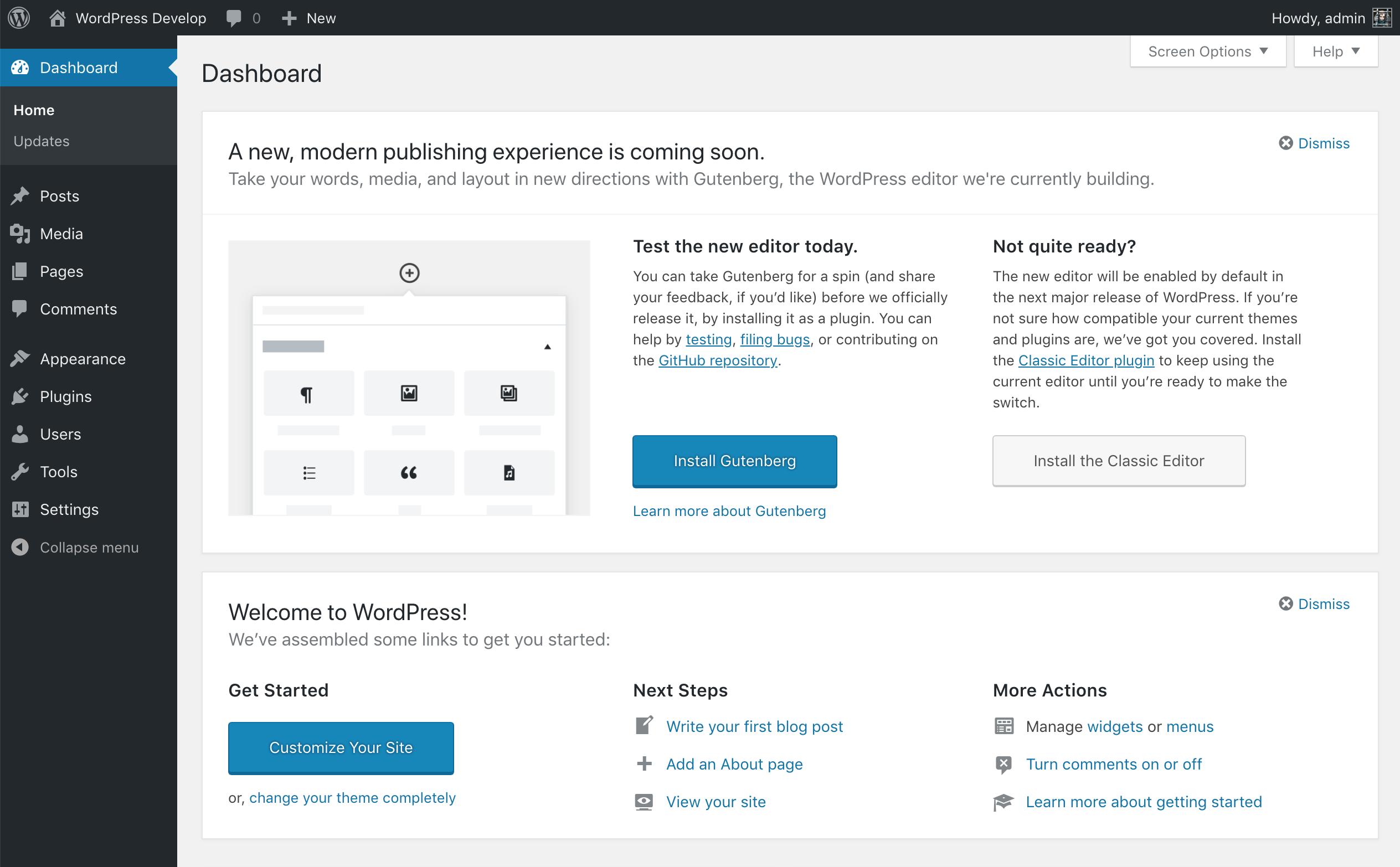
If you update your site to WordPress 4.9.8, you’ll find a “Try Gutenberg” callout on the dashboard. Who sees this and can it be switched off?
(more…)Category: Development
-

How to switch off the “Try Gutenberg” callout
When WordPress 4.9.8 hits, it will include a callout to try Gutenberg. It’s a great way to bring it to the attention of those who may not already be aware of it. However, for those who already are, it may be unwelcome.
It can be dismissed easily but if you’re managing a number of sites you may not want it to appear in the first place, save getting a lot of questions from users.
There is a plugin available to ensure it doesn’t appear but, tbh, it’s a lot simpler than even that.
(more…) -

How to check for a minimum level of PHP within a WordPress plugin
Oh my. It’s been a long time since I’ve felt such hate from users. What horrendous thing did I do? I change one of my plugins so that it now required PHP 7 to work, instead of 5.3.
You know PHP 7… which itself goes out of support in the next few months. PHP 7 also being the recommended minimum level of PHP for running WordPress.
Anyhow, I’ve written a short function which, when added to a plugin, will check for the current level and fail the activation if it doesn’t meet the requirements.
(more…) -

My WordPress plugins and PHP support
I recently updated my Plugins List plugin and the minimum PHP level requirement moved from 5.6 to 7.
Let me explain my reasoning and what my plans are for PHP support.
(more…) -

New WordPress plugin – Tidy My Menus
Don’t you just hate it when WordPress plugins are just a rule to themselves when it comes to adding new menus to your installation? Those slick, and well thought out, menu positions are now, seemingly, randomly dotted with plugin menus jostling for attention.
Well, hate no more. Tidy My Menus is an automated solution to all this. Install, activate and watch your menus tidy themselves up.
(more…)