Category: Life

Random thoughts on life

  • Family Holiday to Treago

    I haven’t posted personal “stuff” on the site much recently, so I thought it was time for a change. I’ve just got back from an excellent week at Treago, near Hereford.

    Thanks to my brother-in-law Jonathan, a number of photos from a day out in Ludlow (and more specifically the castle) have been uploaded to Photobucket, where they can now be viewed…

  • One… just one

    Thrips. Harvest bugs. Thunder bugs. Whatever you want to call them, they’re small insects that come out during the warm weather, and mainly around fields. I’ve read in the past that because of their small size they’re prone to getting between the layers of LCD monitors and dying – and they’re not easily removable either (it involves taking your monitor very much apart).

    Thankfully, I no longer live anywhere remotely rural so their blight no longer gives me problems. Indeed, I haven’t seen one for years.

    Until today.

    Crawling between the layers of my monitor.

    Just that one, no more, and in my damn monitor. What are the chances?

  • Querying Microsoft licenses

    With the recent demise of my Mesh PC and the arrival of a brand-spanking-new Dell, I assumed my nice boxed edition of Office 2007 could be transferred across. I was wrong.

    First of all, I thought I’d check whether I could, so I’d contact Microsoft – their EULA didn’t appear specific enough. Their contact page shows an 0844 number for contacting them (0844 800 2400). However, this appears, through a near-endless selection of options, seems to direct you to websites or to pay them to answer a technical query.

    The option for activating licenses simple gives you a freephone number (0800 0188354), but this is an automated system for activation.

    In the end, I emailed them using the address on the aforementioned contact page. They got back to me and, after much discussion on how I got the software and what the packaging looked like, I was told it was specific to that PC. You see,  when I bought the Mesh I plumped for the option for them to install it and send me the licence key. This would be easier than buying it separately, although it was about the same price.

    I then sent off, for a small additional cost, to receive the DVD with the software on. So I now have a very official looking Microsoft DVD box, containing DVD and key. But Microsoft won’t transfer the licence.

    So much for saving money.

    Thankfully, my daughter has been saving for a laptop and wanted Microsoft Office – a retail 3 user licence is only £5 more than a 1 user licence. So I now have it on my home PC and on my Netbook (and my daughter will have it on her new laptop when she gets it). And, because it’s the retail edition I can transfer the licence keys.

    But, I still have a perfectly good copy of Office 2007 which I can’t use or even sell. And Microsoft wonder why people don’t seem to like them? Grrrr.

  • Why Steve Jobs is wrong about Flash

    Steve Jobs doesn’t like Flash. That’s patently clear.

    He blames most Mac crashes on Flash and, I have to say, since Firefox starting sandboxing plugins I’ve seen regular reported Flash crashes.

    However, a lot – a lot – of high profile websites use Flash, mainly to render video. Steve’s answer to this is HTML 5 – a new version of HTML that is being supported more and more by the browsers. And HTML includes video capability. Great – no more Flash.

    Except his argument is flawed.

    1. HTML 5 is still a draft standard and is liable, probably for a good few years yet, to change.
    2. Flash does more than just play video and HTML 5 doesn’t support a lot of what it can do.
    3. Although HTML 5 allows video, it doesn’t force you to use a particular format. And, as usually happens, a “war” is going on between competing formats – with 3 formats being particularly strong. Where most browsers are plumping for the 2 royalty free options (after all browsers are given away free), Apple has only added the commercial version to Safari and, so far, that appears to be the less popular. Each site will have to re-encode their videos for a different format other than Flash – are they really going to do it for 3 other formats?
    4. HTML 5 video can’t do everything that Flash video can – it is unable to display video fullscreen and there are content protection issues.

    Many have speculated that Job’s dislike of Flash mainly comes down to the fact that, unlike pretty much every other aspect of the iPhone, Apple can’t control it. Even apps, written by others, have to be checked and authorised by Apple, after being written on Apple development tools.

    Which makes their choice of video format look odd, as it’s a third party commercial product. But then, they would have even less control over the two open formats.  iTunes and Quicktime already use this format and besides, one of the other formats is being championed by Google.

    By insisting that Apple products do not use Flash but instead force their particular video format on the masses that buy them they are, in effect, almost guaranteeing themselves success longer term. Or are they? Can the other browsers support a commercial video format which they will have to pay for.

    And, at the same time, sites are going to be reluctant to recode all their video until a format is clearly successful.

    But, it’s good to see Steve is taking it on the chin as he always does. After a blogger contacted him about supporting the alternative, open formats, Steves reply was “a patent pool is being assembled to go after Theora and other open source codecs now”.

    Nice.

  • The T-Mobile G2 Touch finally gets Eclair!

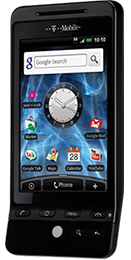
    Today, T-Mobile finally announced that Android 2.1 (Eclair) was available for G2 Touch (AKA HTC Hero) owners.

    If you’ve not received your “pre-upgrade” update already, you’ll need to do this – it makes various small changes in readiness for the Eclair update.

    To get this, wind your clock on by a month and switch off wi-fi (it needs the data connection for the upgrade to be detected). It only takes a couple of minutes and doesn’t cause any data loss.

    Once you have that, you can either wait for Eclair to be pushed out to your phone or go and get it manually. To do the latter, go into Menu -> Settings -> About Phone and you should now have an option to check for software updates. Go into this and follow all prompts.

    Now, the Android update can cause data lose, although I found it to be minimal. I’d recommend backing up all your data – I used MyBackup Pro to backup all data and applications to my SD card, which I then copied into my Netbook.

    The update takes a few minutes and, even when it appears to have rebooted, you might find that behind your lock screen is an HTC update running. Once this is done I found my date and time was incorrect and that my home screens had been reset – if you saved your layout as a “Theme” (which I hadn’t done) then I’m guessing you can easily restore it.

    And that’s it.

    From what I can tell the visible changes are minimal (even more so – animations are turned off by default, so you’ll need to switch them on for the full impact) – the main change is the improvement in speed. And, boy, is it noticeable.

    Other than that, the biggest change to users will be the apps in the Marketplace that will now be available – Google Earth, IMDB, Google Goggles, Talk To Me, amongst many others.

    Smaller changes include an improved Gmail App, a new pinch feature for viewing all the home screens and a Desk Clock app.