
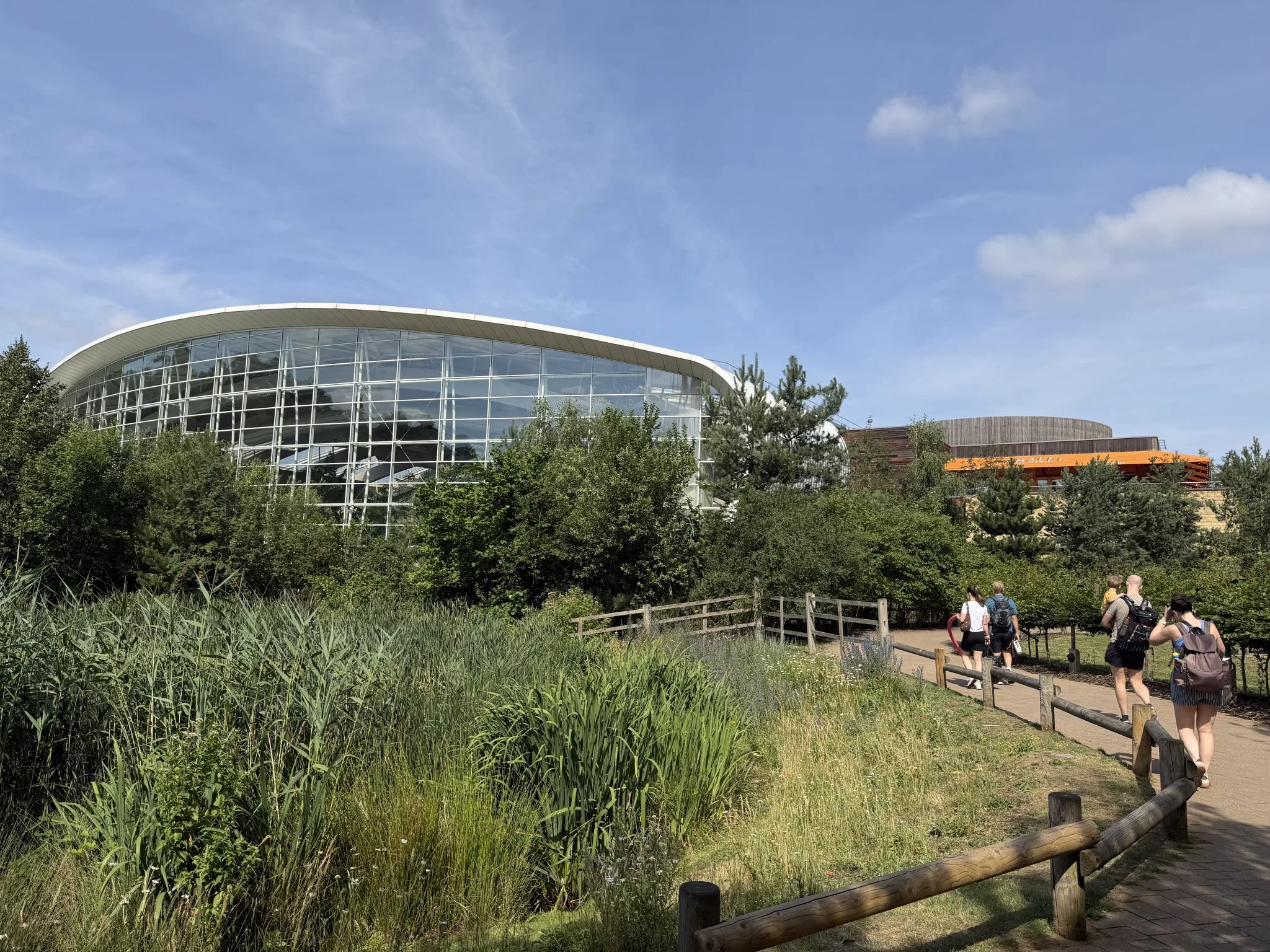
If you’re visiting Center Parcs in the UK anytime soon, here are a few quick tips that may help you out, based on my own experience. My last visit was 2026, so are relevant at that time.
Since 2001, Center Parcs in the UK has been a separate company from the original Center Parcs business. Therefore, I’m not going to assume that anything in the UK model of their holiday village is representative of the wider European model.
- Install the Centre Parcs app and use it in advance to plan your time. There’s a map (not static either – you can use it work out direction for both walking and cycling) but also a listed itinerary of your week, allowing you to see, at a glance, what you’re doing. You can book those events on the app too, many of which can be cancelled if you’re then able to do it, for whatever reason. You can also make reservations for the restaurants in advance too.
- Speaking of reserving things in the app – I’d get those bikes reserved as soon as you can. Many of the locations now have electric bikes, for example, but they go fast.
Not planning to hire a bike? Even in the smaller locations (e.g. Woburn), there can be a lot of hills so walking will be neither quick nor painless – hiring a bike (or bringing your own) is highly recommended to get about. - The on-site shop is really quite large, and stocks Co-op own-brand items as well as the well known branded items. Some items seemed quite expensive (a large bag of crisps for around £3) but other things seemed quite reasonably priced. Equally, Restaurants didn’t seem too pricey either. Okay, they’re not cheap as they have a bit of a captive market, but they’re not silly prices. There’s quite a range to choose from but, on average, an evening meal for 3 adults, with no starter or desserts and one drink each, was around £80.
- Each lodge includes a washing-up cloth, sponge, a tea-towel and 3 dishwasher tablets. The kitchen has a fridge with a small freezer compartment, a hob and oven, and a microwave. There’s also a kettle, coffee machine (Tassimo – although I believe some lodges have different ones, so check) and a toaster. There are 4 coffee pods and around 8 tea-bags. Each bathroom has a small soap and 2 toilet rolls. What wasn’t includes was any washing up liquid or kitchen roll.
For swimming, they don’t provide towels for this, so they ask that you bring your own. - Some of the locations have a small, artificial beach. Therefore, consider a rug or something that you can use on it, if you intend to visit it.

- If it’s warm outside, prepare! “The holiday the weather can’t spoil” is how it used to be advertised. Yet, if it’s warm, it can. The holiday lodges have heating but no cooling – no AC and not even a fan provided. The forest around you helps keep it a little cooler, but nothing is guaranteed. You can keep windows open to help during hotter days but, due to the remoteness of the lodges, you may want to consider security concerns around this.
But, yes, if it’s cold, the lodges have per-room heating controls and even a log fire. - The “Subtropical Swimming Paradise” is not intended to anyone wanting to leisurely sit around in a pool. The closest thing to that is a relatively shallow pool, but that has a wave machine. Due to the shallowness, it’s often full of toddlers.
Instead, it’s a series of different slides and chutes. There are some small pools or easier-going rides – e.g. the Lazy River. My tip would be to find the rapids (this is a long outdoor slide) – there is a small indoor and outdoor pool either side of this, which you can use even if you don’t intend to use slide. - There is a single Wi-Fi set-up for the entire site, which is useful as you travel around, as you can get a signal pretty much anywhere (and, deep in a forest, you may not have a mobile network connectivity). However, it’s not password protected and requires you to tick a box on a form before connecting (a.k.a. a “captive portal”). Apart from a lack of security, it also means that devices that work with Wi-Fi and don’t have screens won’t work, as you can’t view the captive portal (e.g. a FireTV stick).
For travelling, I would always recommend use of a travel router – these connect to the provided Wi-Fi and then create a new, more secure signal which doesn’t require a connection screen. These are set-up via an app which allows you to do any require box ticking up-front.
So, for Center Parcs I set mine up to connect to their Wi-Fi and then create a new signal, echoing my home Wi-Fi name and password. This meant that all my existing devices just connected, without anything further needing setting up, as they all thought they were connecting to my home Wi-Fi network.
I use the UniFi Travel Router, which I’d recommend. - Speaking of which, what are the TVs in the lodges like? My heart sank when I read them described as “flat screen TVs”, which is not promising. That’s the bare minimum of a modern TV, so I wasn’t surprised to find old, HD Samsung TVs. There are no smart features and the built in channels are the standard free ones. They’re mounted in surrounds, though, that make it difficult to get to the connectors (intentionally, I’m sure), but it was possible, and I was able to plug my Roku smart stick into it. Along with my travel router aping my home network, the Roku started up, connected to the internet and worked straight away.
- Centre Parcs has an excellent FAQ part of their site, where I found a lot of information before I left (e.g. which brand of coffee machines I’d have in my specific lodge).
 Share this post on social media.
Leave a Reply