Blog

  • Technical Service and how to get it

    …and how to avoid bad customer service in the first place.

    Photo credit: arycogre

    Yes, it’s quite a basic principal but if you want to ensure that you will recieve good customer service in the first place you need to do your homework.

    It’s no surprise that those companies that provide the cheapest products are often those with the worst reputation. For ISPs, see O2 or TalkTalk. For hosting, see Streamline.net. In comparison companies such as Zen Internet and Memset, have superb customer service but are on the other end of the scale when it comes to price.

    Bearing this in mind, you have to decide what you’re willing to accept and look at the market. There are often companies that can buck the trend, or sit somewhere in the mid-way point of price and service. Often companies can do this but offering limited support but being up-front about it and, what they do provide, is better as a result. My host is Tsohost and I’d highly recommend them – they’re excellent value but offer a good service.

    Not all companies fall into this rule, however. Samsung is generally well known for poor customer service. It also has a habit of not supporting products soon after they’re released (normally when they’re now promoting the next version). People continue to buy their products, though, because they’re so damn good – you just have to accept the downsides that go along with it. Just make sure you know this beforehand, though.

    What I’m saying is – do your research! Forums are the best way to do this. Sometimes, though, you’ll have to accept that the competition is often as bad. As much as I’ve had problems with O2 I know from reputation that I’d probably have just the same problems with any other mobile network.

    But there’s another rule to remember – don’t trust the response you get from the sales department. They are there to sell you a product and are often well staffed and eager to please. If, before you buy, you find their sales department to be keen, don’t assume their later technical assistance will be.

    So, you’ve made your choice and now need customer service.

    Find a Forum

    Do this first if your issue is not urgent. If the manufacturer have their own forum head for this first but also look for any others that might exist.

    Often, and certainly in the case of the better companies, technical people from the company will monitor it and answer people’s problems. This is a really efficient way for a company to resolve less urgent issues and should be promoted as much as possible.

    Even if they don’t monitor it, there will often be knowledgeable people eager to help. But not always.

    Contact Online

    If it’s more urgent or you can’t find a forum head to the company’s online contact form (or they may give you an email address instead). Give them a few days to respond and if they don’t, don’t assume they’re ignoring you – servers fail and emails do go missing so it may not be their fault (the great joy of dealing electronically).

    I’ll admit to rarely finding such contact useful. These queries will often be responded to “off shore” Helpdesks who will struggle to compose a reply that’s brilliantly readable, let alone understand what you’re asking in the first place. But at least give it a try.

    Now Find a Phone

    Ok, your issue is either very urgent or you’ve tried all the above and got nowhere. Pick the phone up and call them. Expect a reasonable wait, but at least this should get you through to someone.

    Always get their name and, if they can provide you with one, a reference of some kind. They might be busy and ask to call you back. This is fine but make sure you give a number that will ensure they get through to you  – don’t be worried to give your mobile number out in this case.

    Make use of Twitter

    Many companies now have a Twitter presence and the good thing about Twitter is how public it is – companies do not like bad things being said about them publicly.

    As an example, I recently had a technical query after purchasing a product. I’d initially tried the manufacturer’s support forums but, days later, had no response, so I phoned them. There was a lot of holding and transferring but was given a ticket number and was told someone would call me back. Hours later, nobody had. So I Tweeted about it, ensuring that the companies Twitter name was included. Even though their customer service had closed 15 minutes earlier I miraculously had a phone call a matter of minutes later. They didn’t make mention of the Tweet but it’s an odd coincidence. When I purchased this product I was impressed by the speed of answering my initial queries. I’d fallen foul of that basic rule of not being swayed by Sales.

    When All Else Fails

    If you’ve done the above then it’s time to complain properly. Look on the companies website on how to make a complaint and submit one.

    If you get no response from that then write a letter. Yes. A letter. But it works – I’ve had a lot of excellent responses from this. Try and find the name of their head of customer services and write to them. If not send to a generic title such as “Head of Customer Services”.

    Don’t be rude in the email. Set out what’s happened and what you’d like them to do to resolve it. With regard to the latter, don’t be greedy. Let’s be honest, all you want is for your issue to be sorted. There are many good articles on the internet about how to write a good letter of complaint, so I’d recommend having a look at those.

    I find I rarely get to this stage so don’t worry. Be patient and if you’re not happy, make sure you share your experience.

  • Scanbox – turn your smartphone into a scanner!

    If you’ve not come across the Kickstarter website before, it’s a brilliant concept.  Anybody with a great idea for a product but simple need backing and promotion can set themselves up and use Kickstart to do just that.

    People pledge money towards the project and when it hits its goal amount people will be charged and the project will go ahead. If it doesn’t reach its goal nobody gets charged.

    Over the last few months I’ve seen a number of projects that I’ve tempted to invest in. Today I succumbed.

    Scanbox is a simple collapsable box that, when assembled, allows you to take quick and easy scans via your smartphone. You place your phone on top at a designated location – the box has been specifically designed to give as much light as possible – put your item to scan inside (it can be a document or a 3D object) and take a snap. Incredibly simple but absolutely genius. And once done the box folds flat.

    It costs $15 for the standard model and $25 for a “plus” version with built in LED lighting. Postage to the UK is an additional $10.

    All-in-all the plus model, with postage, cost me about £22 and delivery is due sometime next month. It will be ideal for small product photography for this site.

  • Is there a desktop and laptop out there for me?

    I’ve recently been considering a change in my desktop PC at home. My Dell Zino HD, I love for its compact size but, I have to say, it’s just a bit sluggish these days, mainly because of its mobile processor.

    So I got thinking about the specification that I’d need. Again, I want something small that can go on the desk, rather a large tower that you shove under it. In fact, most of the specifications would need to be similar to what I have now, just with a faster processor.

    In fact, I should add that I’m only after the base – I already have a very good 27″ Dell monitor.

    I think the minimum would have to be…

    • Intel Core i5 processor
    • 6GB memory
    • Windows 7 64-bit OS
    • DVD writer
    • 1TB hard drive
    • USB 3.0

    None of the above should be too taxing. However, it’s my requirement for something small and quiet that seriously restricts the possibilities. I like to have something on the desk, not under, and that’s why I really want something compact and, for this reason, something good looking too. However, it shouldn’t be a big deal – you can get all of the above specification in a laptop which is far smaller than my desktop footprint requirement.

    There is something available – the Lenovo H520S. It’s not yet available in the UK (I’ve tweeted to Lenovo UK asking them about a UK release but they haven’t responded) but a look at the product in the US shows it to be reasonable priced – unfortunately they only have it with a Core i3 processor (the UK site shows that it should be available with up to Core i7 so I suspect this is simply a stocking issue in the US).

    When it comes to small desktops that look exeptionally nice then you’d have to go a lon way to find something better looking than the Lenovo Q180 (pictured above). Sadly, it’s only available with an Atom processor.

    Otherwise, I’m struggling – small desktop PCs simply don’t appear to be popular, which is odd considering the populararity these days of laptops (so people want small and convenient but not when it comes to a desktop?). Indeed, those small footprint desktop that you do find appear to be intended as media machines – ASRock, for instance, produc e a number of good looking desktops of this type but are expensive because of their 3D media capabilities. In fact my Dell Zino HD is intended as a media PC too.

    This got me thinking of what I’d want in my next laptop (not that I’m looking for one right now, I should add). Right now I’d want…

    • Intel Core i5 processor
    • 4GB memory
    • Windows 7 64-bit OS
    • Solid State drive
    • USB 3.0
    • 13-14″ screen
    • Built-in webcam and microphone
    • Good battery life (5 hours+)
    • Non-glossy screen (optional but nice to have)

    I don’t mention the size of the SSD simply because I don’t need anything of any size – 64GB would be more than enough. On my laptop I store pretty much everything in Dropbox in just a few GB. All photo and music storage is on my phone, desktop PC or NAS.

    I should also add that I’m also wanting a laptop that looks good too – no black slabs of plastic!

    If I thought looking for the desktop was difficult, a reasonably prices laptop with the above specification is even harder!

    The problem here is wanting that SSD (which I want for robustness – I throw my laptop in my bag regularly and always worry about that mechanical drive. However, the increase in speed is always welcome too) – most companies are only putting these in their top-of-the-range laptops. As I’m also specifying a sub-15″ screen that means I often end up in Ultrabook territory. And then it gets scarily priced. The thing is, I haven’t asked for ultimate thinness – the specification I mention is quite reasonable.

    Looking at both the Dell and Samsung websites my only choice is an expensive Ultrabook (usually £1000+).

    The Lenovo website is currently not selling their Edge range (the likely candidates) – I’m assuming because of a change in models. Looking at the US Lenovo site they do have them for sale but they simply don’t anything that matches the requirements of above (again with going to Ultrabook range).

    My conclusion can only be that it’s a good job I’m not actively searching for a laptop right now as the only way I could get what I want is to ditch the idea of an SSD.

    As for the desktop, I’m still awaiting Lenovo UK to get back to me with whether the H520s will ever be available in the UK. Meantime, if anybody else knows of something that fits my criteria please let me know.

    Update – I think I’ve found it!

    It’s always the way – after weeks of searching you submit an article about what appears to be fruitless search. only to find what you were looking for days later!

    My desktop of choice would be the Chillblast Fusion Dagger Ultimate. Set in a SilverStone small-form-factor case, it’s designed as a gaming PC. However, ChillBlast allow you to downgrade components as easily as upgrade them. In particular, if you go for the Ivy Bridge i5 3570K processor you’ll also get the built-in HD 4000 GPU. To put this into context, this GPU is much more powerful than the cheapest separate graphics card that Chillblast offer.

    The laptop is not so definate but certainly appears to be the top contender. The Sony Vaio T series is an Ultrabook at a competitive price. Specifying the base model with an increase of memory to 6GB and a 128GB SSD came to under £770 at Sony (that’s including VAT). For an Ultrabook that’s a competitive price.

    Quidco currently give 6% back from Sony (sadly, Chillblast isn’t on Quidco) which is about £46.

  • Is now the right time to buy a Chromebook?

    Is now the right time to buy a Chromebook?

    Google have recently announced a new Chromebook to add to their existing line-up from last year.

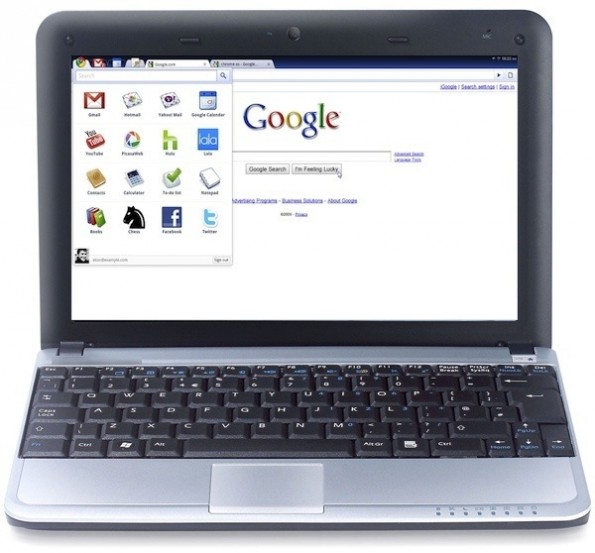
    A Chromebook is a simple laptop designed to run the Chrome OS – a Google created OS that works solely “in the cloud”. If most of your time is spent online – Facebook, email, etc, than this may be of interest. Of course, if you are somewhere with no internet connection then it’s usefulness is rather limited.

    Asus and Samsung released 2 models last year. Since then a new version of Chrome OS has been released adding substantial new features and really improving the system no end. This update was made available to existing Chromebook owners for free.

    Now Samsung have released a new model.

    (more…)

  • ProductTesting.uk.com and why you should avoid them

    ProductTesting.uk.com and why you should avoid them

    ProductTesting.uk.com is a company promising to provide free products for review purposes. Okay, they don’t say EVERYONE will get something but at least you could be in with a chance. I get enough products from companies, agencies and my own pocket to keep me busy but thought, as a lot of these companies can be “too good to be true” to see what happens. Sadly, it was worse than I could have imagined.

    (more…)