It’s been a week of trying out tech, with a recent visit from Microsoft promoting their business “goodies” particularly giving me a chance to try some new products out!
Microsoft surface
 The highlight, for me, was trying out Microsoft Surface, the tabletop multi-gesture surface (or, probably more accurately, it’s a smoked glass touch sensitive coffee table). The one I tried was their original £10 model but with Samsung now manufacturing these the price has already come down to £5k. Once it hits around £1k they think the home user may be interested.
But this isn’t just a large table-top tablet. The abilities of the Microsoft Surface are really quite amazing, which it’s able to implement using IR sensors below the table top to detect levels of heat.
Two demonstrations of what it could do stood out. First, a transparent pass card was placed on the surface. Embedded in the card, but not visible to the eye, were the user credentials. Upon seeing this the Surface, below where the pass card was placed, showed a keypad and allowed the user to enter their password. This means the card itself became the pin pad.
The other demonstration used a combination of physics and graphics. Balls dropped down the screen to settle on one side. You were then able to pick a number of disks and place on the surface, each performing different tasks – one could adjust the gravity, another would be seen as a solid object, etc, etc. So the gravity one, when turned, would cause the balls to realistically tumble around the table depending on where you’d pointed it. A simple demo but powerfully showed what the table was capable of.
I’d say the only thing about Surface that I wasn’t keen on was the slightly matt finish of it – I’m guessing to reduce finger prints, etc.

Windows Phone 7
I’m ashamed to admit that I’ve not tried out Windows Phone 7 before and, thanks to a nice man from Microsoft, I was able to try out his personal HTC phone (which I believe was an HTC Mozart). As a die-hard Android fan, I have to say that I was quite impressed. The interface looks very nice and is very smooth in use.
I’m still not sold, however, due to various shortcomings of the OS (lack of apps, 3rd party apps can’t fully multi-task, etc).
I’m told that at my place of work, who currently use Blackberries, will shortly also be offering managers the option to use Windows Phone 7 instead. I’d go for the Microsoft option.
Nintendo 3DS
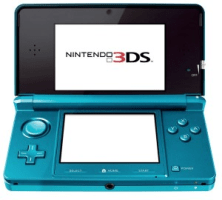 Also, a few days ago, I had my first opportunity to try out the Nintendo 3DS running Pilotwings. It was only a brief try-out, concentrating on the game and the 3D camera.
The 3D is, it has to be said, impressive – it has a real feeling of depth. It takes a second or so to adjust your eyes to it, though, and there is my main issue – after playing for a few minutes my eyes struggled to adjust back to normal. A colleague of mine started to get a headache.
Ignore all the tat in the papers at the moment about massive returns as that’s not the case. However, BBC’s Click programme recently reviewed the 3DS and said that pretty much everyone that tried it in their office switched off the 3D after a few minutes. If the 3D is all you’re buying it for – try first!
If, though, you’re happy to turn off the 3D then you’ll instead have a powerful games console. The graphics are vastly improved and the improved controls are easy to use.


 Yep, I’m late to the party but I’ve finally bought a PS3.


