I now have a Mac after having used a Windows PC all my life (and will continue to do so, I should add). Moving to a different OS is a bit of a shock and there’s a lot to learn. So, here are some tips based on what I have learnt so far…
Don’t assume all your favourite programs for Windows are available for Mac
Make a list of them and search for their Mac equivalents. They may be the same, there may be an equivalent built in or you may have to search for a new program. If you have to go down the latter route, I’d recommend looking for an alternative that works on both platforms, so you can then replace it on your Windows PC as well.
Personal examples include…
- Dropbox – same, free program is available for Mac
- Stickies – Mac has its own sticky note application built in, appropriately also named Stickies
- WinMerge – not available for Mac, but DiffMerge works on both Windows and Mac so have moved to that on both platforms
Don’t just go out and download software you know from using Windows
Having made the previous point, you should also bear this in mind too. There is an awful lot of good software and utilities built into Mac – give some time to explore what you have before downloading another program. You may not need it, after all.
Get a book
Whilst waiting for your shiny new Mac to turn up get a book on using OS X – particularly one that’s up-to-date with the version of OS X that you’re going to get.
Think about all those little things you do on Windows now and find out how to do them on the Mac
You know, how do you kill an application? Can you boot into safe mode? This article should help with a lot of these – Google for any other than you think of.
Apple provide a site to help those who are switching from Windows to OS X. Unfortunately, it’s out-of-date and I couldn’t find essential help such as how to install a program in OS X (rather a basic task, you’ll agree).
Here are a few other thing hat I found that you might find useful – many of which cover features in Windows that you might search for in OS X and, in some cases, you simply can’t do…
Mac owners love their stylish laptops but seem to want to cover them in plastic
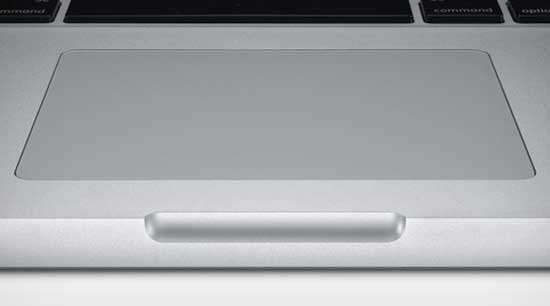
Reading a lot of forums and blogs on accessories that Macbook owners recommend, it seems that they like nothing better than to put plastic covers on their keyboard. And trackpad. And screen. And on their cover. And put their Macbook on a stand in case they spill anything.
Personally, I can’t see the point in buying a good looking and very robust laptop and then covering it up. I can’t imagine that a plastic cover over the keyboard can’t hinder typing – and quite how you’ll easily damage a glass trackpad, heaven knows.
How much for a mouse?
There seems to be a distinct lack of market when it comes to Apple mice, except those that Apple sell. And at £50 a pop it’s an expensive market. I’ll stick with the trackpad.
Other things I’ve learnt
After Googling and forum posting, here are a few other things I’ve had answered…
If you think I’ve missed anything, please let me know.


 Not literally mind you.