Category: How To

My “How To” guides on various things

  • Is your Apple AirTag facing the right way?

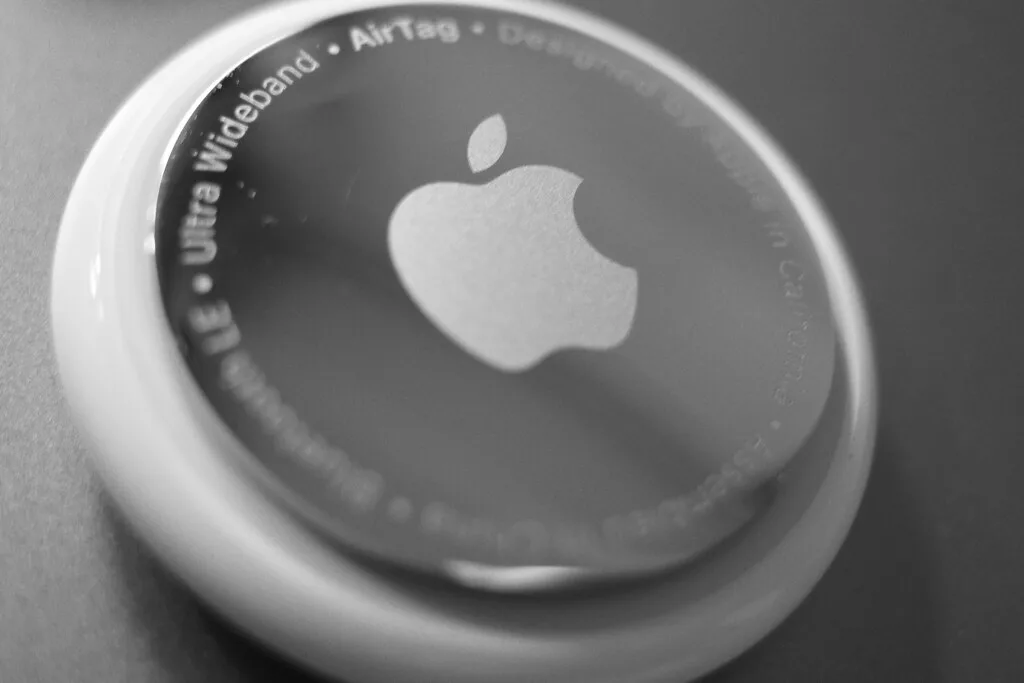
    Is your Apple AirTag facing the right way?

    With the release of the second generation of Apple AirTag it got me thinking about how we use them and how they’re built.

    As an example, here’s a screenshot of wallets that have an AirTag pocket on the front of them. What do you notice about the AirTags?

    They all show the metal side facing out. The reverse side, white plastic, is the part that you can have engraved.

    Is there a “right way round” or does it not matter?

    (more…)
  • Facebook Messenger is leaving the desktop – how to get it back!

    Facebook Messenger is leaving the desktop – how to get it back!

    I hate Meta. Just read the news, both about them and their founder, and you’ll see why. I don’t use Instagram anymore, my profile on Facebook is intentionally inaccurate and only live because I need it for messaging with people. And that’s where I’m stuck – if friends aren’t on Messenger they’re on WhatsApp. So I keep an account and just use the messaging apps.

    Now, for reasons unknown, Meta have pulled their desktop apps, making you message from your mobile device or the web. Urgh.

    The app has already gone for new downloads and the Windows app will stop working after December 14th. The Mac app soon after.

    But you can get it back. Kind of.

    (more…)
  • The Sims 4 Not Starting: How to Fix

    The Sims 4 Not Starting: How to Fix

    I’m told The Sims 4 is a great game. I don’t play it myself, but my daughter has more hours on it than she’s probably spent doing homework. No, not probably. Definitely. And I’ve probably spent nearly as much time fixing the damn thing.

    You see, if you play The Sims 4 on PC or Mac, you can add third party content, known as “mods”, “scripts” or “custom content” (CC). This is (or rather should be – long story, but let’s just say it’s a heated debate in the Sims community) free and, let’s say, my daughter has a few of them (15,000 at the last count, each of them being a separate file. Urgh).

    EA doesn’t guarantee that their updates won’t break due to someone else’s mod, so often that’s exactly what happens. And you’re then left hunting the thing down.

    This week, though, no update occurred but, none-the-less, her game stopped working. Rather than something in the game break, the game itself just refused to load. I fixed it after about 2 hours of work and I have no idea even now what the cause was or, in fact, how I did fix it. None-the-less, I thought I’d share some useful resources and ideas on what others can do. Particularly stressed parents in the same situation.

    (more…)
  • Goodbye Launchpad: Improving the MacOS Tahoe Apps Panel

    Goodbye Launchpad: Improving the MacOS Tahoe Apps Panel

    With MacOS Tahoe, Launchpad has gone. In its place is an Apps panel that shows all your applications, in alphabetical order. No way of grouping. No way of moving apps around. If you’ve forgotten the name of an app, you’ll find yourself slowly scrolling the list until you find it (as I’ve had to do a number of times since installing Tahoe just a few days ago).

    Of all the changes made this, for me, is the biggest retrograde step. For anyone with Neurodiversities, there’ a good chance this new method if going to be a lot harder to use.

    (more…)
  • How to open a MacBook or plug it in without it switching on

    How to open a MacBook or plug it in without it switching on

    Sometimes you just want to open up your MacBook, or plug it in, without it deciding to power itself on. Most of the time the behaviour makes sense but sometimes you don’t want it – wouldn’t it better to allow the. user to decide?

    Until now, changing this default wasn’t possible, but with M-powered MacBooks and MacOS Sequoia onwards, you can now do this.

    (more…)