If you’ve not come across the Kickstarter website before, it’s a brilliant concept. Anybody with a great idea for a product but simple need backing and promotion can set themselves up and use Kickstart to do just that.
People pledge money towards the project and when it hits its goal amount people will be charged and the project will go ahead. If it doesn’t reach its goal nobody gets charged.
Over the last few months I’ve seen a number of projects that I’ve tempted to invest in. Today I succumbed.
Scanbox is a simple collapsable box that, when assembled, allows you to take quick and easy scans via your smartphone. You place your phone on top at a designated location – the box has been specifically designed to give as much light as possible – put your item to scan inside (it can be a document or a 3D object) and take a snap. Incredibly simple but absolutely genius. And once done the box folds flat.
It costs $15 for the standard model and $25 for a “plus” version with built in LED lighting. Postage to the UK is an additional $10.
All-in-all the plus model, with postage, cost me about £22 and delivery is due sometime next month. It will be ideal for small product photography for this site.
I’ve recently been considering a change in my desktop PC at home. My Dell Zino HD, I love for its compact size but, I have to say, it’s just a bit sluggish these days, mainly because of its mobile processor.
So I got thinking about the specification that I’d need. Again, I want something small that can go on the desk, rather a large tower that you shove under it. In fact, most of the specifications would need to be similar to what I have now, just with a faster processor.
In fact, I should add that I’m only after the base – I already have a very good 27″ Dell monitor.
I think the minimum would have to be…
Intel Core i5 processor
6GB memory
Windows 7 64-bit OS
DVD writer
1TB hard drive
USB 3.0
None of the above should be too taxing. However, it’s my requirement for something small and quiet that seriously restricts the possibilities. I like to have something on the desk, not under, and that’s why I really want something compact and, for this reason, something good looking too. However, it shouldn’t be a big deal – you can get all of the above specification in a laptop which is far smaller than my desktop footprint requirement.
There is something available – the Lenovo H520S. It’s not yet available in the UK (I’ve tweeted to Lenovo UK asking them about a UK release but they haven’t responded) but a look at the product in the US shows it to be reasonable priced – unfortunately they only have it with a Core i3 processor (the UK site shows that it should be available with up to Core i7 so I suspect this is simply a stocking issue in the US).
When it comes to small desktops that look exeptionally nice then you’d have to go a lon way to find something better looking than the Lenovo Q180 (pictured above). Sadly, it’s only available with an Atom processor.
Otherwise, I’m struggling – small desktop PCs simply don’t appear to be popular, which is odd considering the populararity these days of laptops (so people want small and convenient but not when it comes to a desktop?). Indeed, those small footprint desktop that you do find appear to be intended as media machines – ASRock, for instance, produc e a number of good looking desktops of this type but are expensive because of their 3D media capabilities. In fact my Dell Zino HD is intended as a media PC too.
This got me thinking of what I’d want in my next laptop (not that I’m looking for one right now, I should add). Right now I’d want…
Intel Core i5 processor
4GB memory
Windows 7 64-bit OS
Solid State drive
USB 3.0
13-14″ screen
Built-in webcam and microphone
Good battery life (5 hours+)
Non-glossy screen (optional but nice to have)
I don’t mention the size of the SSD simply because I don’t need anything of any size – 64GB would be more than enough. On my laptop I store pretty much everything in Dropbox in just a few GB. All photo and music storage is on my phone, desktop PC or NAS.
I should also add that I’m also wanting a laptop that looks good too – no black slabs of plastic!
If I thought looking for the desktop was difficult, a reasonably prices laptop with the above specification is even harder!
The problem here is wanting that SSD (which I want for robustness – I throw my laptop in my bag regularly and always worry about that mechanical drive. However, the increase in speed is always welcome too) – most companies are only putting these in their top-of-the-range laptops. As I’m also specifying a sub-15″ screen that means I often end up in Ultrabook territory. And then it gets scarily priced. The thing is, I haven’t asked for ultimate thinness – the specification I mention is quite reasonable.
Looking at both the Dell and Samsung websites my only choice is an expensive Ultrabook (usually £1000+).
The Lenovo website is currently not selling their Edge range (the likely candidates) – I’m assuming because of a change in models. Looking at the US Lenovo site they do have them for sale but they simply don’t anything that matches the requirements of above (again with going to Ultrabook range).
My conclusion can only be that it’s a good job I’m not actively searching for a laptop right now as the only way I could get what I want is to ditch the idea of an SSD.
As for the desktop, I’m still awaiting Lenovo UK to get back to me with whether the H520s will ever be available in the UK. Meantime, if anybody else knows of something that fits my criteria please let me know.
Update – I think I’ve found it!
It’s always the way – after weeks of searching you submit an article about what appears to be fruitless search. only to find what you were looking for days later!
My desktop of choice would be the Chillblast Fusion Dagger Ultimate. Set in a SilverStone small-form-factor case, it’s designed as a gaming PC. However, ChillBlast allow you to downgrade components as easily as upgrade them. In particular, if you go for the Ivy Bridge i5 3570K processor you’ll also get the built-in HD 4000 GPU. To put this into context, this GPU is much more powerful than the cheapest separate graphics card that Chillblast offer.
The laptop is not so definate but certainly appears to be the top contender. The Sony Vaio T series is an Ultrabook at a competitive price. Specifying the base model with an increase of memory to 6GB and a 128GB SSD came to under £770 at Sony (that’s including VAT). For an Ultrabook that’s a competitive price.
Quidco currently give 6% back from Sony (sadly, Chillblast isn’t on Quidco) which is about £46.
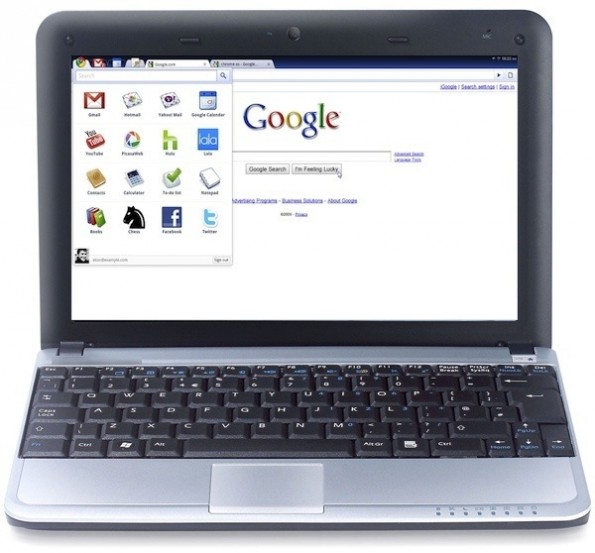
Google have recently announced a new Chromebook to add to their existing line-up from last year.
A Chromebook is a simple laptop designed to run the Chrome OS – a Google created OS that works solely “in the cloud”. If most of your time is spent online – Facebook, email, etc, than this may be of interest. Of course, if you are somewhere with no internet connection then it’s usefulness is rather limited.
Asus and Samsung released 2 models last year. Since then a new version of Chrome OS has been released adding substantial new features and really improving the system no end. This update was made available to existing Chromebook owners for free.
ProductTesting.uk.com is a company promising to provide free products for review purposes. Okay, they don’t say EVERYONE will get something but at least you could be in with a chance. I get enough products from companies, agencies and my own pocket to keep me busy but thought, as a lot of these companies can be “too good to be true” to see what happens. Sadly, it was worse than I could have imagined.
Since my Raspberry Pi review I’ve had some comments (and, I suspect, more to come) critisising my poor review of the product. The first one I answered personally but after the second person made different arguements but I would have answered them in an almost identical way I thought a seperate article may be appropriate, explaining in a lot more detail (more detail than I should put in the original review without boring readers to death!).
I’ve removed my original comment and added it into this response. If I get further comments I will reply via an update to this article (or simply pointing them to it if I’ve answered it already).
What’s the Point of the Raspberry Pi?
So, my review. It wasn’t pretty. The hardware is superb for the money and if the review was about that it would have got full marks. However, it wasn’t. The first thing I need to do, though, is explain WHO the Raspberry Pi is aimed at.
The Raspberry Pi Foundation (RPF) is a not-for-profit UK charity. Tax breaks from the UK Government (and hence also the UK taxpayer) allows them to produce the product so cheaply. I’ve twice been on the committee of a charity and have also applied, on the behalf of a charity, for charitable grants.
The Foundation’s charity number is 1129409 and from that I can find their details on the Charity Commission website. To gain charitable status you have to indicate what the purpose of your organisation is, and where that fits in with such a status. This will tell us what and who the Pi was intended for…
THE OBJECT OF THE CHARITY IS TO FURTHER THE ADVANCEMENT OF EDUCATION OF ADULTS AND CHILDREN, PARTICULARLY IN THE FIELD OF COMPUTERS, COMPUTER SCIENCE AND RELATED SUBJECTS
What
Who
How
So, the Pi is meant for everybody with the intention of advancing their knowledge in computers. It will do this with education and training via services and other activities.
But Does It Educate?
But, and the crux of my review, is that they have delivered an excellent piece of hardware but with poor software and documentation support. This is hardly “education and training”.
I’m sure both the commentators so far will argue otherwise but both, particularly the first, seem to already be pretty knowledgable in their computer skills and are, therefore, not who the Pi is intended for. The same goes for me – I bought mine for review purposes but also to get both/either of my daughers interested. And it’s because of that latter point that I believe I can state that, so far, RPF are failing. My eldest daugher is nearly 14 and has an interested in computers – Facebook and computer art, mainly. But not at programming or the hardware – both things that the Pi should be able to stimulate an interest in. The former it should be able to do because the hardware is there, present, caseless for all to see. Unfortunately, a lack of documentation means that I couldn’t answer questions on what components do what. Secondly, the poor quality OS and accompnaying software is an immediate turn off for her to try and “tinker”.
Some might try and argue that the basic OS is exactly what people need to get interested but without the documentation to back that up, it’s likely to just be a turn-off. Indeed, even with the documentation, I’d struggle to accept an argument that having to find and install software via the command line is a good thing.
It Was Meant For Developers
One comment suggested that the initial run of 10,000 was meant for developers.
Although in private the RPF may have regarded the release for developers that isn’t what they’ve been saying when they’ve hyping the product launch in advance, with the skill of the next big Batman movie. Sadly, their blog page announcing the launch is now AWOL, but let’s use as an example, the BBC news page for it’s release. RPF have used the BBC extensively throughout the production of their device to develop interest and I am in doubt that they had a close relationship.
Sorry, can’t see evidence that this was launched for developers in mind – it keeps referring to users. In fact, didn’t they give a load, on day of release, to a school? Odd that they’d do this if this was at the early stages and only meant for developers. Personally, I’d have distributed a limited number via the Linux development channels, built up the software to a stable and usable base and then released it.
If the current release of the Pi is meant for developers, RPF have done a terrible job of telling people that. I have 3 friends, none of them Linux developers, and all are thinking about getting one. I guess the message has been lost on them as well as it was on me and, I suspect, an awful lot of the 350,000 people who ordered. And THAT is why an awful lot of people are going to be disappointed and stick the Pi in the back of a cupboard.
Having said all, even if this was a development release, who would you define as “developers”. People who can code? I can, but I’m sure as hell not using the current Raspberry Pi software to do this. The only developers who would be interested are Linux Developers – 10,000 is an awful lot.
How Many People Need to Like It?
Another comments makes a good point – if only a few people are turned off by this, what does it matter? 10,000 have been sold.
The thing is, it doesn’t matter what percentage of the overall total it is, but the percentage of those that the Pi is aimed at. I suspect the majority of people who clamoured to get the initial release probably aren’t those the Pi was aimed at. If only 10% of the 10,000 sold were destined for genuine educational needs and 100% of those have been put off by the software and documentation then that’s a 100% failure rate for the Foundation, no matter how many they may sell.
As the commentator said, “I do suspect that the great majority who placed pre-orders are technically savvy and will not be easily discouraged by its half-baked status”. Exactly.
Command Line is Good For You
The same comment also mentions that he has a vast experience in development and can remember having to “get dirty” with command line and hence can see what the developers of the Pi were trying to do.
From what the RPF have said they’re taking their key from the 80’s micro computers where you’d turn them on and come to a command prompt and, many people, would start programming. The difference is that these computers, the successful ones anyway, would come well documented and with a vast array of easily accessable software. Those that didn’t died on their arse.
In Summary
The Raspberry Pi is intended to educate people in computers
It comes with poor software and equally poor documentation
It’s currently failing, in my view, to fulfil its charitable objectives
The only people critising my review are computer savvy and not the people this product was aimed at
But, most important of all – if the above changes, whether it be later this year or in a year’s time, I will be happy to re-review the Raspberry Pi.
Ideally, the commentator I’d like to see is a teenager who had no interest in programming, was given a Pi, tinkered, loved it and started to do some developing as a result. They might be the exception, so I wouldn’t be ready to eat my words just yet, but that’s the kind of thing the Pi is intended for. Show me that person and we’ll talk.
Indeed One of the co-founders of Raspberry Pi Foundation has stated that…
There’s nothing specifically educational about this device. The only reason it’s applicable is it’s cheap.